How to Turn One Piece of Content Into Five Using LeadMagicX AI
Using AI to Repurpose One Piece of Content Into Five
Here's a question worth sitting with for a second.
How long did it take you to create your last piece of content?
Maybe twenty minutes. Maybe an hour. Maybe you stared at a blank screen for three quarters of an hour, wrote a few sentences, and called it a day just to say you posted something.
And then after you hit publish, it got maybe a day of visibility before it disappeared into the feed. Gone. And tomorrow you woke up and started the whole process over from scratch.
That's what we call the content hamster wheel. You're running hard. You're putting in the effort. But you never actually get ahead because you're always starting from zero.
And here's the part the industry doesn't talk about enough. You don't have to.
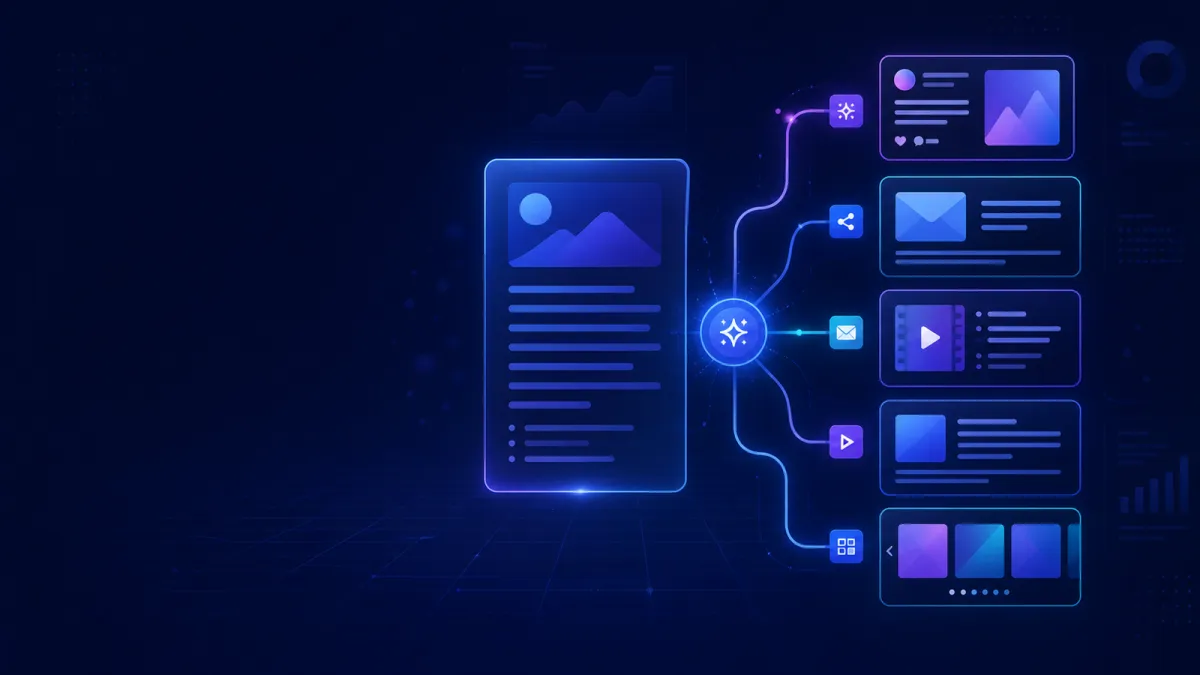
This week's LeadMagicX training walked through a system called content anchoring. One piece of existing content, turned into five completely different formats, in under thirty minutes, using LeadMagicX AI. No new ideas required. No starting from scratch.
Why Repurposing Isn't Cheating
There's a belief a lot of people carry around that they need to be constantly creating brand new content every single day.
They don't.
Think about it honestly. Can you remember every post you saw in your feed yesterday? Probably not. And the people in your audience can't either. Most people can't remember what they had for breakfast, let alone a piece of content they scrolled past two months ago.
The same person can engage with a post, see that same post recycled three months later, and comment almost the exact same thing again because they've completely forgotten the first time around.
That means repurposing isn't lazy. It's smart. You created something that got a reaction once. The right move is to make it work for you again and again in different formats, on different platforms, in front of new people who never saw it the first time.
What Is Anchor Content
Anchor content is simply your original, longest form piece of content. Think of it as the mothership. Everything else you create gets pulled directly from it.
For some people that might be a Facebook Live they recorded. For others it's a long post that got great engagement, a Zoom training they delivered, a podcast episode, or even a voice note they sent to a prospect where they explained something really well.
The rule is straightforward. If you said it or wrote it and it got a reaction, that's anchor content. Save it. Don't throw it away after one use. It's got more life in it than you've given it credit for.
The Five Formats You Build From One Source
Once you've got your anchor content, here's what the system builds from it.
A personal Facebook post. Story-driven, written in the first person, under 150 words, with a question at the end designed to drive comments. The prompt tells LeadMagicX to keep it conversational and relatable and to avoid anything that sounds like a sales pitch. What comes back feels like a genuine personal share, not a promotional announcement.
A short form video script. Thirty seconds. Hook on the first line that stops the scroll in the first three seconds. Natural spoken body in the middle. Clear call to action at the end. This works whether you're on camera, doing a voiceover with B-roll footage, or creating a text on screen reel. The script works all three ways.
A broadcast message. Under 120 words, one clear message, soft call to action that invites a reply or a click. No formal language, no corporate speak. This format is one of the most underused in the network marketing and affiliate space because it bypasses the algorithm entirely and lands directly in someone's inbox. Short always wins here because people are reading on their phones with limited attention.
A carousel or list post. Five slides. Bold headline and one to two supporting sentences per slide. The first slide stops the scroll. The last slide is the call to action. This is the format that tends to get the most saves and shares because people swipe through the whole thing and spend more time with the post. The algorithm sees that extended engagement as a quality signal and rewards it with more reach.
A DM conversation starter. This one takes the most relatable insight from your anchor content and turns it into a curiosity-based opening message. Not a pitch. Not a product mention. Just a genuine question that opens a real conversation with a cold prospect. Something that makes them think that's exactly how I feel, and actually want to respond.
Five formats. Five different platforms. Five more chances for your message to land with someone new. All from the same source material.
How the Process Works Inside LeadMagicX
You start in the Personal Assistant inside AI Employees.
Attach your video file, or paste in a long-form text post if that's your anchor content. Then ask LeadMagicX to extract the key points, main story, and core message and turn them into a three to four hundred word summary.
That summary becomes the foundation. Once you have it, remove the original video from the chat so you're not sending all that extra data with every follow-up prompt. The summary is all LeadMagicX needs to build everything else from.
Then you run through each of the five prompts in sequence. The AI keeps the core message consistent across all five formats while reshaping the tone, length, and structure to match the platform it's written for.
If you want to take the carousel a step further, you can ask LeadMagicX to generate the actual slide graphics too. Give it your brand colours, tell it you want a selfie included, ask it to keep the design consistent across all five slides, and it will build them one at a time and ask for your approval before moving on.
The whole process takes less than thirty minutes. Less once you've done it a few times and know the prompts.
The Social Planner Features Worth Knowing
Two things came out of the Q&A that are worth highlighting alongside this system.
The first is cloning. Even if you originally posted content natively on Facebook or Instagram and never went through the Social Planner at all, you can still find that post inside the Social Planner, click the more menu, and hit clone. It pulls the content straight in so you can reschedule it or tweak the copy before sending it back out. You can even add it to additional platforms at that point if you want to expand its reach.
The second is content queues. Inside the Social Planner you can set up revolving queues for different content types. An awareness queue. A drive action queue. An engagement queue. As you create content and repurpose it using this system, you add the best pieces to the relevant queue, set a posting schedule for each one, and LeadMagicX automatically picks the next post from the queue and publishes it on your behalf.
This is how the whole system compounds over time. You build a library of repurposed content, load it into your queues, and the platform keeps it rotating. You show up consistently without having to think about it every single day.
One Important Reminder Before You Start
The AI does the heavy lifting. But it doesn't replace you.
Always read what it produces out loud before you post it. If something doesn't sound like you, change it. Your audience follows you, not an AI model. The voice, the experiences, the stories behind the content are what make any of this actually work. LeadMagicX gives you a first draft, not a final one.
That ten minutes of reading and tweaking at the end is what turns a solid AI output into something that genuinely sounds like it came from you.
Your Action Steps This Week
Find one piece of content you've already created. A post that got good engagement. A video that landed well. A voice note where you nailed an explanation.
Open the Personal Assistant inside LeadMagicX, attach it or paste it in, and use the summary prompt to extract the key points.
Then pick just one of the five formats and run it through the corresponding prompt.
That's it for today. Just one format. Just to see how it works and what comes back.
Once you've done it once, you'll understand exactly how the system fits together. And the next time you do it, all five formats will take you twenty minutes flat.
You already have the content. You've already done the hard work of creating it. Now it's time to make it go further.
Prompt 1 — Facebook Story Post
Take this content and rewrite it as a personal story-driven Facebook post. Make it conversational and relatable, written in first person. End with a question to drive comments. Keep it under 150 words. Do not make it sound like a sales pitch.
Prompt 2 — Short Form Video Script
Turn the original summary into a 30-second video script. Start with a hook that stops the scroll in the first 3 seconds. Write it as natural spoken word, not formal language. Include a call to action at the end. Format it with the hook on the first line, then the body, then the CTA on the last line.
Prompt 3 — Email or Messenger Broadcast
Rewrite the original summary as a short broadcast message for network marketers or affiliate marketers. Keep it under 120 words. Use a conversational tone. One clear message. End with a soft call to action that invites a reply or click.
Do not use formal language or corporate speak.
Prompt 4 — Carousel or List Post
PART 1 (Slide Content)
Break the original summary down into a 5-slide carousel post. Each slide needs a bold headline and one to two sentences of supporting text. Slide 1 should be a hook that makes someone want to keep reading. Slide 5 should be a call to action. Keep the language simple and direct.
PART 2 (Image Generation)
Create images of these slides suitable for Instagram, use the exact headline and supporting text that you just created. Keep all of the slides similar in design and make them engaging and scroll stopping. Create them 1 at a time and ask me to approve before moving on.
Prompt 5 — DM Conversation Starter
Pull the most relatable insight from the original summary and turn it into a short, curiosity-based DM opener I can use to start a conversation with a cold prospect. It should feel natural and human, not salesy. No pitching. No product mentions. Just a genuine opening that invites a response. Keep it under 60 words.